A Beginner’s Guide to Advanced Driver Assistance Systems (ADAS)
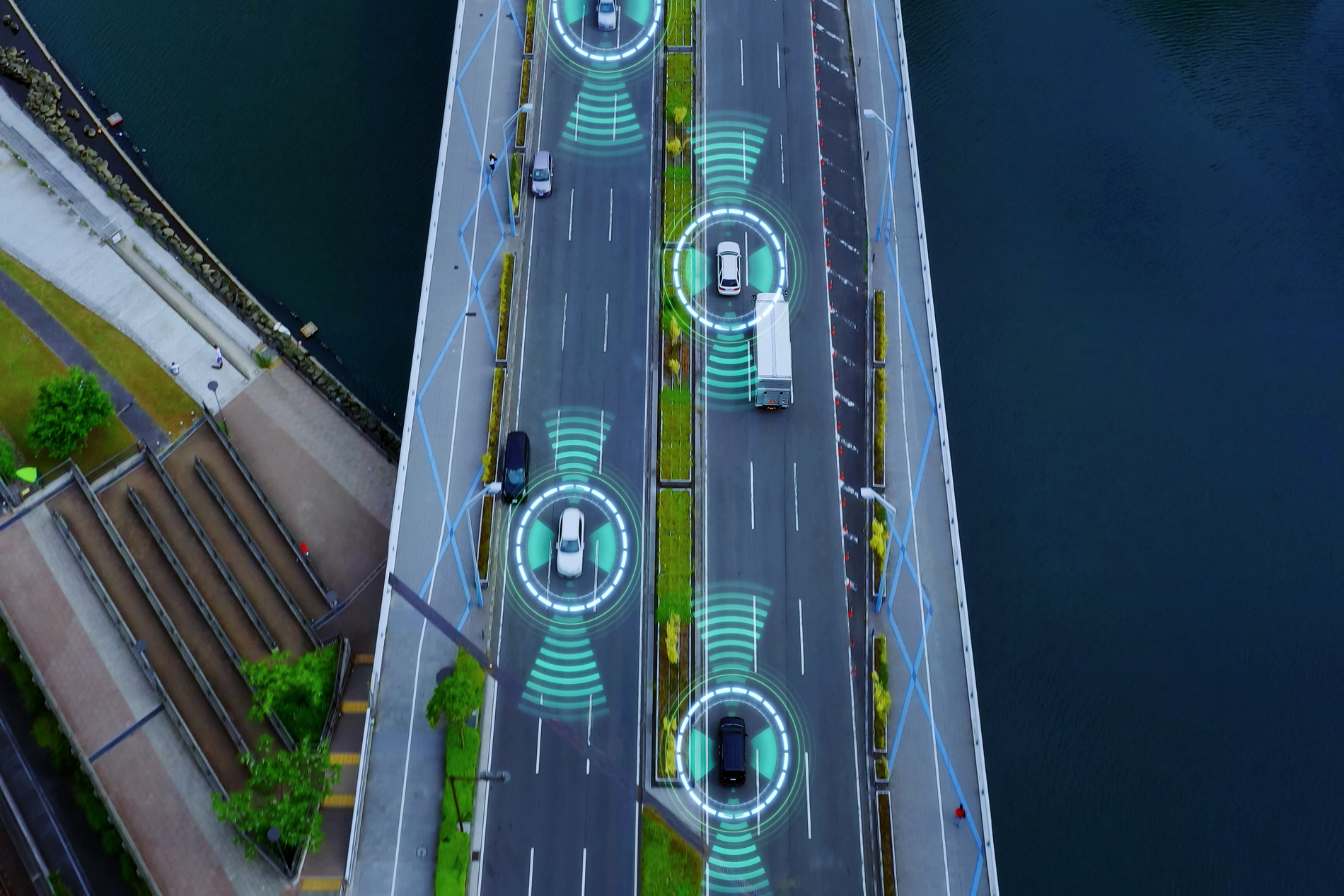
Most new cars sold today can see the road, judge distance, and brake without any input, yet most drivers don’t know how it all works.
If you bought a new car recently, you have probably seen a long list of features on the window sticker, such as lane keeping assist, adaptive cruise control, blind spot monitoring, and automatic emergency braking. These are not separate gadgets but are parts of one connected system known as Advanced Driver Assistance System (ADAS).
ADAS is standard equipment on most vehicles built in the last several years, and regulators in the United States and Europe are making key parts of it mandatory. Understanding how it works and what it cannot do can keep you safe and make you a more confident driver.
This guide explains ADAS in simple language.
What Is ADAS?
ADAS stands for Advanced Driver Assistance Systems. It is a broad term for the electronic features in a car that use sensors, cameras, and software to help a driver avoid crashes and drive more comfortably.
The key word here is “Assistance.” ADAS does not drive the car for you. It supports the driver by watching the road, tracking nearby vehicles, and stepping in when it detects danger. The driver stays in control at all times.
This distinction matters because human error contributes to many crashes. According to the National Highway Traffic Safety Administration, driver error accounts for 94% of vehicle crashes. ADAS reduces that number by giving drivers extra eyes on the road and a faster reaction time than a human can manage alone.
How Does ADAS Work?
ADAS relies on a network of sensors placed around the vehicle. Each sensor collects a different type of information, and the car’s onboard computer combines all of it to build a real-time picture of what is happening around the vehicle.
The Sensors Behind the System
Most ADAS-equipped vehicles use a combination of the following gadgets:
- Cameras. Usually mounted near the rearview mirror or in the front grille, cameras identify lane markings, traffic signs, pedestrians, and nearby vehicles. They are the primary sensor behind features like lane keeping and traffic sign recognition.
- Radar. Radar sensors, often placed in the front and rear bumpers, measure the distance and speed of nearby objects. They perform well in darkness and light rain, which makes them useful for adaptive cruise control and collision warnings.
- Ultrasonic sensors. These short-range sensors sit around the vehicle’s perimeter and are mainly used for parking assistance and detecting nearby obstacles.
- Lidar. Less common in mainstream vehicles, lidar uses laser pulses to measure distance with high precision. You may find it in higher-end driver-assistance systems and autonomous vehicles.
No single sensor gives a complete picture on its own. Most ADAS systems rely on a process called sensor fusion, which combines data from multiple sensors. That combined data feeds into the car’s onboard computer, which decides whether to alert the driver, adjust the throttle, apply the brakes, or gently correct the steering.
Understanding the Levels of Driving Automation
Much of the confusion about ADAS comes from marketing language. Names like Autopilot, ProPILOT, and Highway Driving Assist sound like they mean the car can drive itself. In almost every case, they do not.
To cut through the confusion, the Society of Automotive Engineers created a standard scale, known as SAE J3016, that defines six levels of driving automation. Automakers, regulators, and vehicle safety agencies worldwide now use this scale.
- Level 0, No Automation: The driver handles every part of driving. The car may issue warnings, but it does not take action.
- Level 1, Driver Assistance: The system controls one function at a time, either steering or speed, not both together.
- Level 2, Partial Automation: The system can steer and control speed at the same time, but the driver must stay engaged and ready to take over instantly.
- Level 3, Conditional Automation: The car performs most driving tasks, and the driver does not need to watch the road constantly, but must be ready to take control when the system requests it.
- Level 4, High Automation: The vehicle handles the entire driving within a defined area or condition, without needing driver takeover in that zone.
- Level 5, Full Automation: The car drives itself in all conditions a human could handle. No steering wheel is required.
For nearly every car available to everyday buyers, ADAS means Level 2. Systems like Tesla’s Autopilot, GM’s Super Cruise, and Ford’s BlueCruise all fall into this category, regardless of their marketing names. The driver is legally and practically responsible for the vehicle at all times.
However, Mercedes-Benz’s Drive Pilot is certified as a genuine Level 3 system in Germany and a couple of U.S. states. Still, it operates only in slow highway traffic.
The Most Common ADAS Features Explained
Automakers often use different brand names for the same underlying technology, which adds to the confusion. Below are the features you are most likely to encounter, grouped by what they actually do.
1. Features That Manage Speed and Distance
- Adaptive Cruise Control maintains your set speed while automatically adjusting the throttle to keep a safe distance from the vehicle ahead.
- Traffic Jam Assist adds light steering support to Adaptive Cruise Control, helping the car stay centered in its lane during slow-moving traffic.
2. Features That Help You Stay in Your Lane
- Lane Departure Warning alerts you with a sound, vibration, or visual signal if you drift out of your lane without signaling.
- Lane Keeping Assist gently steers the car back toward the center of the lane if it starts to drift.
- Lane Centering actively keeps the car centered within its lane during sustained highway driving.
3. Features That Prevent Collisions
- Forward Collision Warning uses cameras and radar to detect a vehicle or obstacle ahead and alerts the driver if a collision looks likely.
- Automatic Emergency Braking applies the brakes automatically if the driver does not react in time to Forward Collision Warning.
4. Features That Watch Your Blind Spots
- Blind Spot Monitoring alerts you when a vehicle is beside and slightly behind your car, and you cannot see it in side mirrors.
- Rear Cross Traffic Alert warns you about moving vehicles behind you when you are reversing out of a parking spot.
5. Features That Help With Parking
Parking sensors, surround-view cameras, and semi-automated parking systems use ultrasonic sensors and cameras to measure distance from walls, pillars, and other vehicles while parking the car in tight spaces.
6. Features That Monitor the Driver
Driver Monitoring Systems use a small infrared camera, usually near the steering column or rearview mirror, to track the driver’s eye and head position. If the system detects signs of drowsiness or distraction, it issues an alert.
What ADAS Cannot Do
Understanding ADAS limits is as important as understanding the features themselves. AAA research has found that drivers often misunderstand what these systems can and cannot do, sometimes with consequences.
Here are a few examples:
- Nearly 80% of drivers using Blind Spot Monitoring either misunderstood its limits or incorrectly believed it could reliably detect motorcycles, bicycles, or fast-approaching vehicles.
- Roughly 40% of drivers confused Forward Collision Warning with Automatic Emergency Braking, wrongly assuming a warning-only system would also apply the brakes.
- About 1/3 of drivers with Automatic Emergency Braking did not realize the system’s cameras and sensors could be blocked by dirt, ice, or snow, which stops the feature from working correctly.
None of this means ADAS is unreliable. It means the technology is a support tool, not a replacement for an attentive driver. Treat every ADAS feature as a second set of eyes, not a substitute for your own.
Final Thoughts
ADAS has changed what a modern car can do, and it will likely keep expanding as sensors, cameras, and software continue to improve. For now, remember that these systems are your assistants, not replacements. They are built to catch moments when your attention slips, not to take over driving.
Learning what your car’s ADAS features do, and just as importantly, what they do not do, is the best way to get the full safety benefit these systems were designed to provide.